
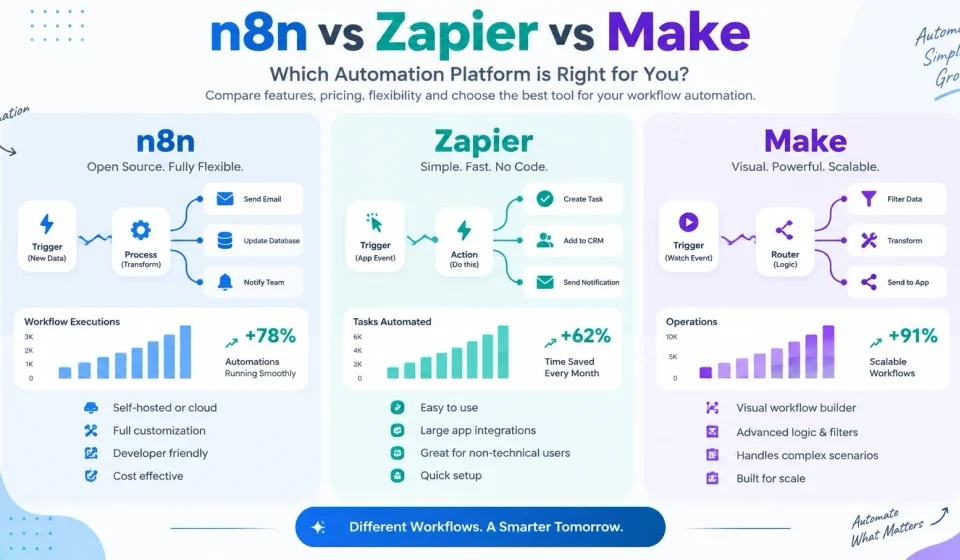

Marketers live inside a stack of tools: CRM, email platform, ad accounts, analytics, forms, Sheets, Slack, project boards. Connecting them by hand is where hours disappear. That is why n8n vs Zapier vs Make is one of the most searched comparisons in marketing ops right now.
These three platforms all move data between apps and run multi-step workflows. They do not do it the same way, at the same price, or with the same learning curve.
- Zapier is the easiest on-ramp and has the largest app catalog.
- Make (formerly Integromat) is a visual, mid-complexity builder with strong value per run.
- n8n is the flexible, developer-friendly option — with a free self-hosted path and execution-based billing that often wins at scale.
This guide compares them for marketers, SEO teams, agencies, freelancers, and small businesses — without crowning one universal “best.”
Key Takeaways
| Question | Short answer |
|---|---|
| Easiest for non-technical marketers? | Zapier |
| Best visual builder for complex branching? | Make |
| Best for technical marketers, AI agents, high volume, data control? | n8n |
| Best free / lowest-cost path at high volume? | n8n self-hosted Community Edition (software free; you pay server + maintenance) |
| Broadest native integrations? | Zapier (8,000–9,000+ apps) |
| Billing model that punishes multi-step workflows least? | n8n (one execution = full workflow run) |
| Strong middle-ground value? | Make (credit-based; Core plan commonly cited around ~$9–$11/mo annual for 10k credits) |
n8n vs Zapier vs Make: Quick Comparison
| Dimension | n8n | Zapier | Make |
|---|---|---|---|
| Best for | Technical marketers, AI agents, high volume, self-hosting | Beginners, simple multi-app relays, widest app coverage | Visual builders, branching logic, cost-conscious power users |
| Ease of use | Moderate–steep | Easiest | Moderate |
| Workflow flexibility | Very high (code + nodes) | High for linear/branch paths | Very high (visual canvas, routers) |
| Integrations | Hundreds of nodes + any API via HTTP/code | 8,000–9,000+ apps | 3,000+ apps |
| AI automation | Deep (LangChain-style agents, many AI nodes, local models possible when self-hosted) | Strong accessibility (Copilot, Agents, AI steps, MCP) | Strong visual AI modules, agents, Maia |
| Webhooks / API | Excellent (native webhooks, HTTP, GraphQL, CLI/API control) | Excellent on paid plans | Excellent |
| Hosting | Cloud or self-hosted | Cloud only | Cloud only |
| Free plan | Community Edition free self-hosted (unlimited executions on your hardware); Cloud is paid | Yes — 100 tasks/mo, 2-step Zaps | Yes — 1,000 credits/mo, 2 active scenarios |
| Pricing approach | Per workflow execution (whole run = 1) | Per task (each successful action) | Per credit (typically 1 module ≈ 1 credit; AI may cost more) |
| Technical skill | Comfortable with logic/APIs helps | Minimal | Low–moderate |
| Best suited marketing users | SEO ops, growth engineers, agencies building agents | Solo marketers, SMBs, non-tech teams | Agencies, content ops, intermediate automation users |
Sources: n8n pricing, n8n docs, Zapier pricing, Make pricing.
What Is n8n?
n8n is a fair-code workflow automation platform that combines no-code/low-code nodes with full code when you need it. You build workflows as a graph of nodes: triggers start the flow; action nodes call apps or APIs; code nodes run JavaScript or Python; AI nodes call models and agent patterns.
How n8n works (marketer-friendly)
- Trigger — webhook, schedule, app event, queue, form, etc.
- Nodes — Gmail, HubSpot, Google Sheets, Slack, HTTP Request, IF, Switch, Code, AI Agent, and more.
- Data — each node passes JSON items downstream; you map fields visually or in expressions.
- Execution — one full run from start to finish counts as one execution on n8n Cloud (not one charge per step). That is the core pricing difference vs Zapier and Make.
You can also:
- Call any API with HTTP / GraphQL nodes
- Import cURL
- Use webhooks as public entry points
- Build AI workflows (agents, tool calling, RAG-style patterns depending on setup)
- Control n8n via API and CLI
- Self-host the Community Edition or run n8n Cloud
Official overview: docs.n8n.io.
n8n pricing (2026)
Per n8n.io/pricing:
- Billing unit: monthly workflow executions (full run), not per step.
- All cloud plans: unlimited users, unlimited workflows, every integration.
- Community Edition (self-hosted): free software on GitHub; you provide the server.
- Cloud plans (names and feature bands from the official page): Starter, Pro, Business/Enterprise tiers with rising execution quotas, concurrency, retention, collaboration, and support.
- Third-party snapshots through 2026 commonly report Cloud Starter around ~$20–24/mo (annual) for roughly 2,500 executions, Pro around ~$50–60/mo for roughly 10,000, with higher Business tiers and custom Enterprise. Exact list prices move — check the live pricing page.
Why marketers care: a 12-step lead enrichment + CRM + Slack + Sheets workflow is still one execution in n8n. On Zapier that same run can burn many tasks; on Make it burns many credits.
Pricing and plan limits can change. Always verify the latest details on the official n8n pricing page.
What Is Zapier?
Zapier is the most widely known no-code automation platform. A workflow is a Zap: one trigger plus one or more actions. When the trigger fires, Zapier runs the actions in order (with Paths, Filters, and Formatters for logic and cleanup).
How Zapier works
- Trigger — new form submit, new row, new email, new Stripe payment, etc. (triggers do not count as tasks).
- Actions — create CRM deal, send Slack message, add Sheet row, update Mailchimp, call AI, etc.
- Built-in tools — Filter, Formatter, Paths, Delay, Looping, Tables, Forms often help without burning tasks (confirm current free-step list on Zapier’s help/pricing docs).
- AI — Copilot for building Zaps, AI steps inside Zaps, Agents, and Zapier MCP so AI assistants can call your connected apps.
- Scale of ecosystem — Zapier documents 9,000+ app integrations.
Official: zapier.com · help.zapier.com.
Zapier pricing (2026)
Per zapier.com/pricing and consistent 2026 plan reporting:
| Plan | Typical entry price (verify live) | Usage model | Notes |
|---|---|---|---|
| Free | $0 | 100 tasks/month | Two-step Zaps only (1 trigger + 1 action) |
| Professional | From ~$19.99/mo annual / ~$29.99 monthly | From ~750 tasks/mo, scales up | Multi-step Zaps, premium apps, webhooks |
| Team | From ~$69/mo annual | Shared task pool, more seats | Collaboration features |
| Enterprise | Custom | Custom | Admin, SSO, advanced controls |
What is a task? A successful action that moves or writes data. Multi-step Zaps multiply task use. AI steps and some connectors may use variable task rates — see Zapier’s task usage rates.
Pricing and plan limits can change. Always verify on the official Zapier pricing page.
Marketing fit: fastest time-to-first-automation; ideal when your stack is full of niche SaaS tools and your team will not touch Docker or JSON.
What Is Make?
Make is a visual automation platform (formerly Integromat). You build scenarios on a canvas: modules are steps; routers branch paths; filters control who continues; iterators/aggregators handle arrays; webhooks and HTTP modules cover custom APIs.
How Make works
- Design a scenario on the drag-and-drop canvas.
- Connect modules (Gmail, Facebook Ads, HubSpot, Google Analytics, OpenAI, etc.).
- Use routers for if/else-style branching without leaving the visual map.
- Watch data bubble through modules in real time while testing — strong for debugging.
- Run on schedule or via webhook.
AI on Make: AI apps/modules, AI Agents (beta features evolve), Maia conversational builder, MCP server options, and credit-priced AI usage on many plans. See make.com and help.make.com.
Make pricing (2026)
Per make.com/en/pricing:
| Plan | Typical entry (verify live) | Credits / limits (typical) |
|---|---|---|
| Free | $0 | 1,000 credits/mo · 2 active scenarios · 15-min min interval |
| Core | Often ~$9–$11/mo annual equivalent | 10,000 credits base tier · unlimited scenarios · 1-min scheduling |
| Pro | Higher than Core | Same credit slider family + priority execution, advanced logging/vars |
| Teams | Higher | Team roles, shared templates, collaboration |
| Enterprise | Custom | SSO, advanced security, SLAs |
Make moved billing language from “operations” to credits. For standard modules, 1 module run ≈ 1 credit; routers/error handlers may be free; AI modules can consume more credits. Annual billing usually discounts ~15%+.
Pricing and plan limits can change. Always verify on the official Make pricing page.
Marketing fit: content ops and agency workflows with lots of branching (lead source → different sequences; creative approval paths; multi-channel publishing).
n8n vs Zapier vs Make: Feature Comparison
1. Ease of use
- Zapier — shortest path from idea to live Zap.
- Make — visual and powerful; 1–2 sessions to feel fluent.
- n8n — more concepts (items, expressions, credentials, error workflows); rewards technical marketers.
2. Workflow flexibility
- n8n — nodes + unrestricted JS/Python + custom nodes when self-hosted.
- Make — canvas, routers, iterators, aggregators, subscenarios.
- Zapier — multi-step + Paths; less “graph-native” than Make/n8n for intricate graphs.
3. Integrations
- Zapier — widest native catalog (9,000+).
- Make — 3,000+ with often deep module options.
- n8n — fewer first-party nodes than Zapier, but HTTP + code covers almost any API. Count matters less if you are API-comfortable.
4. AI automation
- n8n — deepest agent-style building (tool loops, memory patterns, local LLMs when self-hosted).
- Zapier — easiest AI for non-builders (Copilot, Agents, MCP into 9,000 apps).
- Make — strong visual AI modules and agents inside scenarios.
5–6. Webhooks & APIs
All three support webhooks and HTTP-style integrations on appropriate plans. n8n stands out for treating API/code as first-class and for self-hosted network control.
7–9. Data transformation, conditionals, error handling
- Make — excellent visual mapping and routers.
- n8n — excellent with Code node + IF/Switch + error workflows.
- Zapier — Formatter + Filter + Paths cover most marketing cases; complex transforms get awkward sooner.
10. Debugging
- Make — live execution inspection is a standout.
- n8n — execution logs, pin data, debug-in-editor (plan-dependent).
- Zapier — solid history and task logs; less “canvas replay” than Make.
11. Team collaboration
All offer multi-user options on higher tiers. Zapier Team/Enterprise and Make Teams are polished for non-dev orgs. n8n Cloud uses shared projects/roles; self-hosted needs your own access control design.
12. Scalability
- High-volume multi-step: n8n pricing model usually wins.
- Huge app breadth at moderate volume: Zapier.
- Complex visual flows at mid volume: Make.
13. Hosting
Only n8n offers serious self-hosted vs cloud choice. Zapier and Make are cloud SaaS.
14. Security & compliance
All three serve business use with encryption and enterprise options (SSO, audit, etc. on higher tiers). Self-hosted n8n can keep execution data on your infrastructure — valuable for GDPR-sensitive lead data, education PII, or client NDAs. Enterprise needs still require your own hardening, backups, and access policies.
15. Customization
n8n > Make > Zapier for deep customization; reverse the order for “I refuse to think about JSON.”
n8n vs Zapier: Which Is Better?
There is no single winner in n8n vs Zapier — only fit.
| Factor | Prefer Zapier when… | Prefer n8n when… |
|---|---|---|
| Ease of use | Non-technical marketers need results this week | Someone can own expressions, credentials, and errors |
| Pricing model | Low volume, few steps per Zap | Multi-step or high-frequency runs (execution ≠ per-step) |
| Complex workflows | Mostly linear with light Paths | Heavy branching, loops, custom logic, agents |
| AI automation | Want Agents/Copilot with minimal setup | Building real agent loops, RAG, local models |
| Integrations | Need obscure long-tail SaaS connectors | Core stack + APIs is enough |
| Self-hosting | Not required | Data residency / cost control / on-prem needed |
| Marketing workflows | Form → CRM → email → Slack in an afternoon | SEO reporting pipelines, enrichment agents, custom ops |
Can n8n replace Zapier? Often yes for teams with technical capacity and a known stack. Not always if you depend on rare Zapier-only apps or zero-training operators.
Make vs Zapier: Which Is Better?
| Factor | Prefer Zapier when… | Prefer Make when… |
|---|---|---|
| Ease of use | Absolute beginners | Willing to learn a canvas for more power |
| Visual building | Linear Zaps are enough | You want to see routers and data packets |
| Integrations | Maximum app count | Mainstream + marketing stack coverage is enough |
| Complexity | Simple relays | Multi-branch campaigns and data reshaping |
| Pricing | Very low volume | Mid volume — credits often cheaper than Zapier tasks |
| Learning curve | Minimal | Moderate (worth it for ops-heavy teams) |
| Scalability | Careful task budgeting | Credit packs + efficient scenario design |
Is Make better than Zapier? For many marketers who outgrew 2-step Zaps and hate task math on 8-step flows — yes on value and control. For “connect anything with zero training” — Zapier still wins.
n8n Self-Hosted vs Cloud
What self-hosted means
You install n8n (commonly Docker) on a VPS, bare metal, or Kubernetes. The Community Edition software is free. You handle OS updates, SSL, backups, monitoring, upgrades, and secrets.
What n8n Cloud means
n8n hosts the editor and executions. You pay for a plan based on executions and get managed uptime, updates, and cloud collaboration features per plan.
Comparison
| Self-hosted Community | n8n Cloud | |
|---|---|---|
| Software cost | $0 | Subscription |
| Infra cost | VPS often ~$5–20+/mo (varies) | Included in plan |
| Executions | Unlimited (hardware-bound) | Metered by plan |
| Setup | DIY (Docker guide, DNS, SSL) | Minutes |
| Maintenance | You (or your devops) | n8n |
| Data control | Highest | n8n’s cloud regions/policies |
| Features | Broad Community set; paid licenses unlock Business/Enterprise self-host features | Starter/Pro/Business/Enterprise feature bands |
| Best for | Technical teams, high volume, privacy | Marketers who want n8n power without ops |
Do not assume self-hosting is automatically cheaper. A $6 VPS looks cheap until you count backup failures, security patches, and 2 a.m. downtime. If no one owns infrastructure, Cloud is usually cheaper in total cost of ownership. If you already run servers and push tens of thousands of multi-step runs, self-host often wins.
Official deploy guidance: docs.n8n.io (hosting / editions).
Which Tool Is Best for Marketers?
Best for beginners
Zapier. Two-step Free plan to learn concepts; Professional when you need multi-step and premium apps.
Best for simple marketing automation
Zapier (speed) or Make Free/Core (if you already like visual tools and stay within credits).
Best for complex workflows
Make (visual complexity) or n8n (logic + code + agents).
Best for AI workflows
- Accessibility: Zapier
- Visual AI scenarios: Make
- Deep agents / local models / cost at agent-loop scale: n8n
Best for agencies
- Many client simple Zaps, non-tech staff → Zapier (watch task pools per client).
- Shared visual playbooks, branching client flows → Make Teams.
- Productized AI automations, high volume, white-label infra → n8n (often self-hosted or Cloud Pro+).
Best for technical marketers / SEO ops
n8n — GSC/Sheets/BigQuery/Looker pipelines, alerting, content ops agents, scraping+summarize flows, webhook-driven publishing.
Best free / low-cost option
- Truly free software at unlimited runs: n8n Community self-hosted (plus server cost).
- Free cloud sandbox: Make (1,000 credits, 2 scenarios) or Zapier (100 tasks, 2-step).
- Best paid value mid-tier (typical): Make Core-class plans for many SMB scenarios; n8n Cloud or self-host when step counts explode.
“Best Zapier alternative free” for production volume is usually self-hosted n8n, not a tiny free SaaS tier.
Marketing Automation Examples
1. Lead generation automation
Form → enrich → CRM → Slack → nurture.
- Low volume: Zapier
- Branch by source/UTM: Make
- Enrichment agent + custom API: n8n
2. CRM lead routing
Round-robin or territory rules.
- Simple: Zapier Paths
- Complex rules: Make routers or n8n IF/Switch + Code
3. SEO reporting automation
Pull GSC/Analytics → Sheets → Slack weekly digest.
- n8n or Make excel (API + transform). Zapier works if connectors exist and task budget allows.
4. Content publishing workflow
Notion/Docs approved → CMS draft → Slack approve → schedule social.
- Make or n8n for multi-branch approval. Zapier fine for linear publish.
5. Social media workflow
RSS/blog webhook → rewrite variants → Buffer/LinkedIn/IG.
- AI rewrite: all three; volume favors n8n execution pricing.
6. Email marketing automation
CRM segment → ESP add/update → internal alert.
- Native ESP apps: Zapier often smoothest.
- Custom ESP API: n8n/Make HTTP.
7. Google Sheets → CRM
Classic ops glue. All three; free tiers may suffice at low volume.
8. Website form → email notification
Simplest Zap/scenario. Zapier Free or Make Free if within limits.
9. AI content workflow
Brief in Sheet → LLM outline → draft in Docs → human gate → CMS.
- n8n for agentic drafts + tools; Make for visual pipelines; Zapier for light AI steps.
10. Marketing reporting dashboard
APIs → warehouse/Sheet → Slack/email snapshot.
- n8n preferred for cron + code + cost control.
For AI tool stacks you might wire into these flows, see our roundup of free AI tools for students (many of the same assistants show up in marketing teams too). Local SEO and directory ops sometimes sit beside automation — see business listing sites in India if you run multi-location campaigns.
n8n vs Zapier vs Make Pricing Comparison
How to read this table: vendors use different meters. Comparing “$20 plans” without converting tasks vs credits vs executions misleads you.
| n8n | Zapier | Make | |
|---|---|---|---|
| Meter | Workflow execution (full run) | Task (successful action) | Credit (~module run; AI variable) |
| Free tier | Self-host Community unlimited*; no permanent free Cloud tier like Make/Zapier | 100 tasks, 2-step Zaps | 1,000 credits, 2 active scenarios |
| Entry paid (approx.) | Cloud Starter ~$20–24/mo annual (verify) | Professional ~$19.99/mo annual (verify) | Core ~$9–11/mo annual (verify) |
| What entry paid usually buys | ~2.5k executions class (verify) | ~750 tasks class (verify) | ~10k credits class (verify) |
| Self-host | Yes | No | No |
| Multi-step cost behavior | Flat per run | Rises with each action | Rises with each module |
| Official page | n8n.io/pricing | zapier.com/pricing | make.com/en/pricing |
*Self-host still costs infrastructure and time.
Rough mental model (illustrative, not a quote)
A workflow with 1 trigger + 8 actions, 1,000 runs/month:
- Zapier: on the order of ~8,000 tasks (if each action = 1 task) → higher Professional tier.
- Make: on the order of ~8,000+ credits (module-dependent) → often still near Core/Pro credit packs.
- n8n: on the order of ~1,000 executions → may fit a lower Cloud band or self-host.
Always model your step count × frequency on each vendor’s calculator.
Pricing and plan limits can change. Always verify the latest pricing on the official provider websites before purchasing.
Pros and Cons
n8n pros and cons
Pros
- Execution-based pricing favors complex workflows
- Self-host option and strong data control
- Code + HTTP first-class
- Strong AI agent building surface
- Unlimited users/workflows on cloud plans (per pricing page positioning)
Cons
- Steeper learning curve for non-technical marketers
- Fewer one-click apps than Zapier
- Self-hosting is real ops work
- Cloud execution quotas still need monitoring
Zapier pros and cons
Pros
- Fastest for beginners
- Largest integration ecosystem
- Mature help center, templates, and AI builders
- Tables/Forms/MCP expand beyond pure Zaps
Cons
- Task model gets expensive on multi-step × high volume
- Free plan limited to 2-step Zaps
- Less flexible for heavy custom logic vs n8n
- No self-hosting
Make pros and cons
Pros
- Excellent visual builder and debugging
- Strong branching (routers)
- Competitive credit pricing for many SMB workloads
- Solid AI module ecosystem
Cons
- Credits and AI usage need careful design
- Free tier capped at 2 active scenarios
- Not self-hosted
- Learning curve above Zapier
Which Automation Tool Should You Choose?
Choose n8n if:
- You (or a teammate) are comfortable with APIs, JSON, or light code
- Workflows are multi-step or high frequency
- You want AI agents, custom tooling, or local models
- You need self-hosting or stricter data control
- You are evaluating a serious Zapier alternative for cost at scale
Choose Zapier if:
- The team is non-technical and speed matters most
- You rely on niche apps in a huge catalog
- Volume is low–moderate and steps per Zap stay small
- You want polished Agents/Copilot/MCP with minimal ops
Choose Make if:
- You want a visual canvas with serious branching
- You are between Zapier simplicity and n8n depth
- Credit pricing fits your run volume
- Agencies/content teams will maintain shared scenario templates
Practical decision checklist
- List your top 10 apps — does each platform connect natively?
- Count average steps × monthly runs — map to tasks/credits/executions.
- Rate team skill 1–5 (1 = no JSON ever).
- Do you need self-host / data residency? If yes → n8n path.
- Prototype the same workflow in free trials — time-to-working and failure modes beat feature checklists.
Conclusion: A decision framework, not a trophy
n8n vs Zapier vs Make is not a popularity contest. It is a fit contest.
- Pick Zapier when people and app breadth matter more than unit economics.
- Pick Make when you want visual control and stronger value on branching marketing ops.
- Pick n8n when execution pricing, AI depth, APIs, or self-hosting matter — and someone can own the system.
Before you commit annual billing:
- Rebuild one real revenue workflow on each shortlist tool.
- Measure build time, failure rate, and projected monthly bill at 2× current volume.
- Re-read vendor limits on AI steps — they change faster than core automation features.
Do that, and you will not need a blog to tell you which tool is “best.” Your own stack will.
Frequently Asked Questions
Is n8n better than Zapier?
It depends. n8n is often better for complex, high-volume, AI-heavy, or self-hosted needs. Zapier is often better for non-technical teams and widest app coverage.
Is n8n cheaper than Zapier?
Frequently yes at scale on multi-step workflows because n8n bills per execution, not per step. At very low volume, Zapier’s entry plan can be comparable. Self-hosted n8n software is free but not zero-cost to run.
Is Make better than Zapier?
For visual complexity and cost efficiency at mid volume, many marketers prefer Make. For simplest UX and max integrations, Zapier still leads.
Is n8n free?
The self-hosted Community Edition is free software. n8n Cloud is paid. See n8n pricing.
Is n8n self-hosted free?
The software can be. You still pay for servers, storage, backups, monitoring, and engineering time.
What is the best free Zapier alternative?
For production volume: self-hosted n8n. For free cloud experimentation: Make’s free plan (limits apply) or limited Zapier Free itself.
Which is easier, n8n or Make?
Make is generally easier for marketers than n8n. Zapier is easier than both.
Which automation tool is best for marketers?
- Beginners / simple stacks → Zapier
- Visual power users / agencies → Make
- Technical / AI / scale / control → n8n
Can n8n replace Zapier?
Yes for many teams after a migration plan (rebuild Zaps as workflows, re-auth apps, monitor executions). Validate critical app coverage first.
Can Make replace Zapier?
Yes for a large share of marketing scenarios, especially if you redesign for modules/credits and do not need rare Zapier-only apps.