
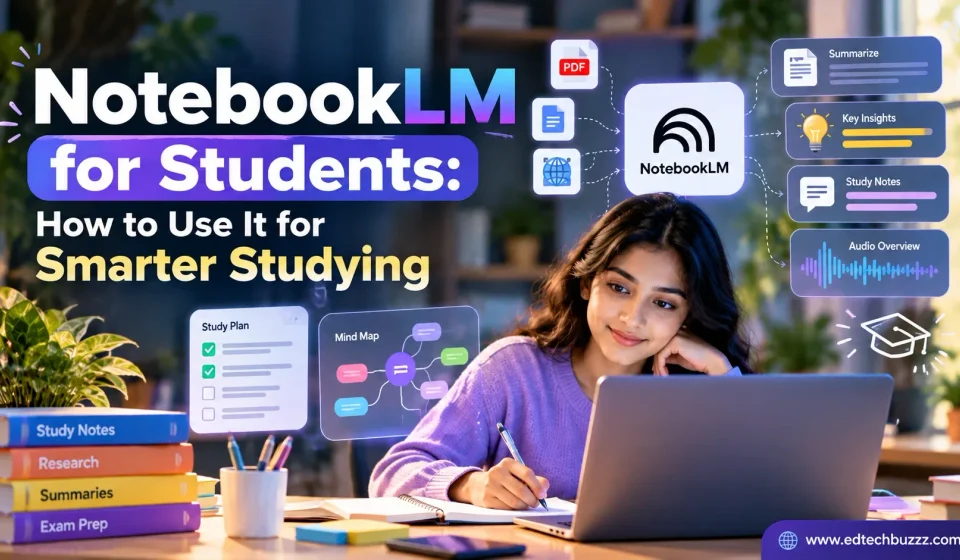

Imagine you have a 70-page research paper due for discussion tomorrow, three lecture PDFs you haven’t opened, and a exam in ten days that covers all of it. Reading everything cover to cover isn’t realistic, and skimming risks missing the one concept your professor keeps testing. This is the exact gap Google’s NotebookLM was built to close.
NotebookLM for students isn’t just another AI chatbot you can ask random questions. It’s a tool that reads your material, only your material, and answers based on what’s actually in your sources. That difference matters more than it sounds, especially when you’re trying to revise from your own lecture notes instead of a generic internet answer that may not match what your professor taught.
In this guide, you’ll learn what NotebookLM actually is, how to use NotebookLM for studying step by step, how its Audio Overviews fit into a real revision routine, how it compares with ChatGPT for studying, and a set of copyable prompts you can use today. We’ll also cover where it falls short, so you don’t over-rely on it going into an exam.
A quick note on naming: in July 2026, Google began rolling out the name “Gemini Notebook” for this product. Most people, and most search results, still call it NotebookLM, so this guide uses that name throughout — but if you open the app and see “Gemini Notebook,” you’re in the right place.
What Is NotebookLM?
NotebookLM is a research and study tool from Google Labs, built on Google’s Gemini models. You create a “notebook,” upload your own sources into it, such as PDFs, lecture slides, Google Docs, or web links, and then ask questions. Instead of pulling answers from the open internet the way a general chatbot does, NotebookLM grounds its answers only in the documents you’ve added.
This approach is called source-grounded AI, and it’s the reason NotebookLM feels different from ChatGPT or Gemini’s main chat interface. If you upload your economics lecture notes and ask “What are the three causes of inflation mentioned in this lecture?”, NotebookLM answers strictly from that lecture, not from a generic economics textbook it may have been trained on. Answers also come with citations pointing back to the specific passage in your source, so you can check the original text yourself.
Students can typically work with:
- PDFs (textbooks, research papers, handouts)
- Google Docs and Slides
- Websites and pasted text
- YouTube video links (for lecture recordings, for example)
- Audio files, in some rollouts
Google continues to expand which file types NotebookLM supports, so if a specific format doesn’t work today, it’s worth checking again in a few weeks. One important habit to build early: NotebookLM can still generate inaccuracies, just like any AI tool, so treat its answers as a strong first draft of understanding, not a final verified fact, especially for anything you’ll be graded on. Google’s own guidance makes the same point: responses are grounded in your sources and include citations, but NotebookLM can still generate inaccuracies like any AI system, so it’s worth checking the source yourself.
Why Should Students Use NotebookLM?
The honest case for NotebookLM for students comes down to time. Most students don’t struggle to find study material, they struggle to process a pile of it quickly and accurately before a deadline. Here’s where it tends to help most:
- Faster understanding of long material. A 40-page research paper can be summarized into its core argument in minutes, giving you a map before you read in depth.
- Organizing scattered information. Instead of flipping between five PDFs, you can ask one question across all of them at once.
- Turning notes into other formats. The same source material can become a summary, a set of flashcards, a quiz, or an audio discussion, depending on how you’re studying that day.
- Pre-exam revision. Ask NotebookLM to pull out likely-important themes across a semester’s worth of notes instead of re-reading everything.
- Understanding difficult concepts. If a textbook explanation isn’t clicking, you can ask for the same idea explained with a simpler example, grounded in your own course material.
- Research support. For assignments and papers, it can help you compare arguments across sources or pull out key quotes, as long as you still do your own analysis and writing.
None of this replaces studying. It changes what you spend your study time doing, less time hunting for information, more time actually learning it.
How to Use NotebookLM for Studying
Here’s a straightforward workflow you can follow with your very next course.
Step 1: Create a Notebook
Each notebook is its own contained workspace. Rather than dumping every subject into one notebook, organize by course, exam, or project, for example, “Organic Chemistry – Midterm 2” or “Sociology 101 – Research Paper.” This keeps NotebookLM’s answers focused, since it only pulls from the sources inside that specific notebook.
Step 2: Add Study Sources
Upload everything relevant to that notebook: the syllabus, lecture slides, your own handwritten notes (typed or scanned as PDF), textbook chapters, and any research papers assigned. The more complete and relevant the source set, the better NotebookLM’s answers will be. A notebook built from just one thin handout will only ever give you thin answers.
Step 3: Ask Focused Questions
Vague questions get vague answers. Be specific about what you want and how you want it formatted. A few prompts you can copy directly:
- “Summarize this chapter in simple language, as if explaining it to someone new to the topic.”
- “What are the five most important concepts I need to understand from these sources?”
- “Create revision notes from these sources, organized by subtopic.”
- “Explain this concept using an easy, everyday example.”
- “Based only on these sources, what topics are most likely to require memorization versus conceptual understanding?”
- “Compare these two theories based only on the uploaded sources, and list where they agree and disagree.”
Step 4: Create Study Materials
Once you’ve explored your sources through questions, turn them into study formats: a summary document, flashcards for key terms, a short quiz to test recall, or an Audio Overview for a lower-effort review session. Doing this a few days before an exam, rather than the night before, gives you time to notice which topics still feel shaky.
NotebookLM Audio Overview for Studying
Audio Overviews are one of NotebookLM’s most talked-about features, and for good reason. Feed it your sources, and it generates a podcast-style discussion between two AI voices, walking through the main ideas in a conversational format instead of a dry summary. It’s grounded entirely in what you uploaded, so the discussion stays on your syllabus, not a generic version of the topic.
For studying, this works best as reinforcement, not as a replacement for reading. A practical way to use it:
- Before an exam: Play an Audio Overview while commuting, walking, or during a break to refresh major concepts you’ve already studied once.
- After reading a chapter: Listen to reinforce what you just read, rather than using audio as your first and only exposure to new material.
- For dense, technical material: Hearing a concept explained conversationally can sometimes make it click faster than a text summary, especially for topics with a lot of jargon.
Where audio is less useful: material with formulas, diagrams, precise numerical data, or anything you need to memorize exactly as written, such as legal definitions or chemical structures. Listening is passive by nature, so it shouldn’t be your only method for topics that require active recall or precise detail. Treat it as one layer of revision, not the whole revision plan.
NotebookLM vs ChatGPT for Studying
Both tools can genuinely help you study, but they’re built around different ideas, so the better choice depends on the task in front of you. (If you’re also curious how Gemini itself stacks up against ChatGPT more broadly, we’ve covered that separately in our Gemini vs ChatGPT comparison.)
| Feature | NotebookLM | ChatGPT |
|---|---|---|
| Source-based studying | Built around this; answers are grounded in your uploaded documents with citations | Can reference uploaded files, but by default draws on its general training knowledge too |
| General questions | Limited outside your uploaded sources by design | Strong for broad, general-knowledge questions |
| Uploaded documents | Core feature; built for multi-document, source-grounded work | Supported, but not the tool’s primary design focus |
| Brainstorming | Possible, but constrained to your sources | Strong for open-ended brainstorming and ideation |
| Study notes | Generates notes directly from your own material | Can generate notes, but may blend in outside knowledge |
| Research assistance | Strong for comparing and citing your own papers/sources | Strong for general research framing and explanations |
| Explanations | Explains concepts using your specific course material | Explains concepts using broad general knowledge |
| Audio-based study | Built-in Audio Overviews feature | No native equivalent feature |
| Writing assistance | Not its focus | Strong for drafting, editing and writing assistance |
| Best use case | Studying and revising from your own documents accurately | General explanations, brainstorming and writing help |
When NotebookLM may be more suitable: you have specific course material (lecture notes, a syllabus, assigned readings) and want answers that stay strictly accurate to what your professor actually taught.
When ChatGPT may be more suitable: you want a broader explanation of a concept, need help brainstorming an essay structure, or want writing and editing feedback that goes beyond your uploaded sources.
Using both together: a common workflow is uploading your course material into NotebookLM for accurate, source-grounded revision, then using ChatGPT separately to brainstorm essay angles or get a second explanation of a concept from a different angle. Neither tool is a strict “winner,” they solve different problems.
10 Practical NotebookLM Tips for Students
- Organize notebooks by subject, not by year. “Calculus II” is more useful than “2026 Notes,” since you’ll return to it mid-semester.
- Upload reliable source material only. If you feed it messy or incomplete notes, the summaries will be equally incomplete. Garbage in, garbage out applies here.
- Ask specific questions. “Explain photosynthesis” gets a generic answer; “explain the light-dependent reactions covered in Chapter 4” gets a useful one.
- Combine multiple sources in one question. Ask it to cross-reference your lecture slides against the assigned textbook chapter to catch gaps between the two.
- Ask for comparisons. “Compare Theory A and Theory B based only on these sources” often reveals nuances you’d miss reading each source separately.
- Generate revision notes early, not the night before. Building them a week out gives you time to notice weak spots and go back to the original material.
- Use Audio Overviews for reinforcement, not first-pass learning. Listen after you’ve already read the material once.
- Ask it to flag the most important concepts. “Which three ideas in this chapter are most central to the argument?” helps you prioritize limited study time.
- Use it for active recall, not passive reading. Ask NotebookLM to quiz you, then answer before checking, rather than just re-reading its summary.
- Always verify anything that will be graded. Cross-check facts, dates, formulas and citations against your original source or your professor before relying on them in an exam or assignment.
How Students Can Use NotebookLM for Exam Preparation
Before Studying
Build one notebook per exam and upload everything relevant: syllabus, all lecture notes for the term, textbook chapters, past study material, and any research papers referenced in class. Having a complete source set from the start avoids repeated re-uploading later.
During Studying
Use NotebookLM to summarize chapters section by section, explain concepts you’re stuck on, compare related topics, generate practice questions, and identify recurring themes across the term’s material.
During Revision
Shift toward quick summaries, practice questions, concept comparisons, a revision checklist built from your sources, and an Audio Overview for lighter review sessions between more focused study blocks.
Before the Exam
Do one final pass: ask for a condensed summary of the whole notebook, run through any flashcards or quizzes you’ve generated, and listen to an Audio Overview as a last refresh. NotebookLM can highlight themes that appear frequently across your sources, which is a reasonable signal of what’s important, but it cannot predict your actual exam questions. Treat any “likely important” output as a study priority, not a guarantee.
NotebookLM for PDFs and Lecture Notes
Long PDFs are where NotebookLM tends to save the most time. Textbook chapters, dense research papers, lecture slide decks, and assignment instructions can all be uploaded directly, and you can ask questions across several of them at once instead of reading each one from start to finish.
For example, if you’ve uploaded twelve weeks of lecture slides for one course, you could ask: “Across all these lecture notes, which topics were covered in more than one week?” That kind of cross-document question would take a long time to answer manually but takes seconds here, and it’s a genuinely useful way to spot what your professor emphasized repeatedly.
NotebookLM for Research and Assignments
For research-heavy work, NotebookLM can help you:
- Understand dense research papers faster by asking for the core argument and methodology in plain language
- Compare multiple sources’ positions on the same question
- Extract key arguments and quotes, with citations back to the original passage
- Identify recurring themes across a stack of papers
- Organize notes and references before you start writing
- Get plain-language explanations of unfamiliar academic terminology
What it should not be used for is writing your actual assignment for you. Using NotebookLM to understand your sources and organize your thinking is research support; submitting AI-generated text as your own original work is a different matter entirely, and one that crosses into academic dishonesty at most institutions. Always check your school or university’s specific policy on AI use before relying on any AI tool for coursework, since policies vary widely between institutions and even between individual professors.
NotebookLM Prompts for Students
A ready-to-use prompt library, organized by what you’re trying to do:
Understanding Concepts
- “Explain [concept] in simple terms, based only on these sources.”
- “Give me a real-world example that illustrates this concept.”
Summarizing Chapters
- “Summarize this chapter in under 300 words.”
- “Break this chapter into its main sections with a one-line summary for each.”
Exam Revision
- “Create a revision checklist covering every major topic in this notebook.”
- “Which topics appear most frequently across these sources?”
Research Papers
- “What is the core argument and methodology of this paper?”
- “What are the stated limitations of this study?”
Comparing Sources
- “Compare these two sources and list where they agree and disagree.”
- “Which source gives the stronger evidence for [claim], and why?”
Creating Practice Questions
- “Create 10 practice questions based on this chapter, with answers.”
- “Write 5 short-answer questions that test understanding, not just memorization.”
Active Recall
- “Quiz me on this chapter one question at a time, and tell me if I’m right after I answer.”
Simplifying Difficult Topics
- “Explain this like I’m hearing about it for the first time, with no jargon.”
Creating Study Guides
- “Build a one-page study guide from these sources, organized by topic.”
Limitations of NotebookLM for Students
NotebookLM is genuinely useful, but it’s worth going in with clear expectations:
- AI-generated inaccuracies are still possible. Source grounding reduces but does not eliminate errors.
- Source quality determines output quality. Messy, incomplete or low-quality uploaded material produces equally weak summaries.
- Important information should always be verified against your original textbook, your professor, or another trusted source before an exam or assignment.
- Summaries can omit context. A condensed summary may drop nuance that matters for a deeper exam question.
- Audio summaries shouldn’t replace reading the original material, particularly for anything requiring precise detail.
- Academic integrity matters. Using it to understand material is different from submitting AI-generated work as your own; check your institution’s policy.
- Privacy is a consideration. Be thoughtful about uploading sensitive personal data or material you don’t have the right to share.
- Feature availability changes. Google updates NotebookLM’s capabilities, limits and naming (including the 2026 shift toward “Gemini Notebook”) fairly often, so specifics can shift between when this is written and when you read it.
- It doesn’t suit every subject or learning style equally. Highly visual subjects or hands-on skills may benefit less from a text-and-audio-based tool than a heavily reading- or writing-based subject would.
Is NotebookLM Free for Students?
NotebookLM has a free tier available to anyone with a Google account, which covers the core features most students need: creating notebooks, uploading sources, asking questions, and generating Audio Overviews, within daily and per-notebook limits. Paid tiers exist on top of the free plan, generally offering higher daily usage limits, more notebooks, more sources per notebook, and faster or expanded access to newer features.
Google has also periodically run student-specific promotions bundling expanded Gemini and NotebookLM access with a verified school email address, though the specific terms, eligibility (such as country or age requirements) and duration of these offers change from one promotion to the next. Because pricing, limits and promotional offers shift fairly frequently, check the official Gemini Notebook help page for the current terms before assuming what’s free versus paid.
Is NotebookLM Good for Studying?
For the right use cases, yes. NotebookLM is particularly strong when you have a defined set of course material and need to understand, summarize, or revise it accurately and quickly. Students juggling dense reading loads, research-heavy courses, or exam prep across a semester’s worth of notes tend to benefit the most.
It’s weaker as a general-knowledge tool, a writing assistant, or a substitute for actually engaging with the material yourself. The students who get the most out of it treat it as a way to process and organize information faster, not as a shortcut around learning. Used alongside traditional study methods, active recall, spaced repetition, and simply reading, it’s a genuinely useful addition. Used as a total replacement for studying, it isn’t.
Frequently Asked Questions
What is NotebookLM for students?
It’s Google’s source-grounded AI research and study tool, letting students upload their own course material and get summaries, explanations and study aids based strictly on those sources.
Is NotebookLM good for studying?
Yes, particularly for summarizing long material, organizing notes across multiple sources, and revising before exams. It works best alongside traditional study methods, not as a replacement for them.
Can students use NotebookLM for exams?
Yes, for preparation, summarizing material, generating practice questions and revision notes. It cannot predict actual exam questions and shouldn’t be used during a closed-book exam itself.
Can NotebookLM summarize textbooks?
Yes, you can upload textbook chapters as PDFs and ask for summaries, explanations, or comparisons across chapters.
What is NotebookLM Audio Overview?
A feature that turns your uploaded sources into a podcast-style spoken discussion, useful for reinforcing material you’ve already studied.
Can NotebookLM create study notes?
Yes, you can ask it to generate structured revision notes, summaries, or study guides directly from your uploaded sources.
Is NotebookLM better than ChatGPT for studying?
Neither is strictly better. NotebookLM is stronger for accurate, source-grounded studying from your own material; ChatGPT is stronger for general explanations, brainstorming and writing help. Many students use both.
Can NotebookLM help with research papers?
Yes, for understanding arguments, comparing sources and organizing notes, but it should support your research process, not replace your own writing and analysis.
Is NotebookLM free for students?
There’s a free tier available to anyone with a Google account, with paid tiers offering higher limits. Google has also run limited-time student promotions in the past; check the official site for current terms.
How should students use NotebookLM responsibly?
Verify anything important before relying on it academically, follow your institution’s AI-use policy, use it to support your understanding rather than replace your own work, and don’t treat AI-generated summaries as a substitute for engaging with the original material.
Final Takeaway
NotebookLM for students works best as a way to process large amounts of course material faster and more accurately, not as a replacement for studying itself. Its source-grounded answers, Audio Overviews for reinforcement, and ability to organize scattered notes into something usable are genuinely useful, especially heading into exam season.
Compared with ChatGPT, it isn’t about which tool is “better,” it’s about which job you’re doing: source-accurate revision from your own material versus general explanations and brainstorming. Many students end up using both, for different parts of their workflow.
The most useful next step is simple: take one course you’re currently struggling to keep on top of, upload its material into a single notebook, and try two or three of the prompts above. You’ll get a much clearer sense of where it genuinely saves you time, and where you still need to do the reading yourself.
Related reading: AI tools for students | best AI tools for SEO professionals | AI productivity tools