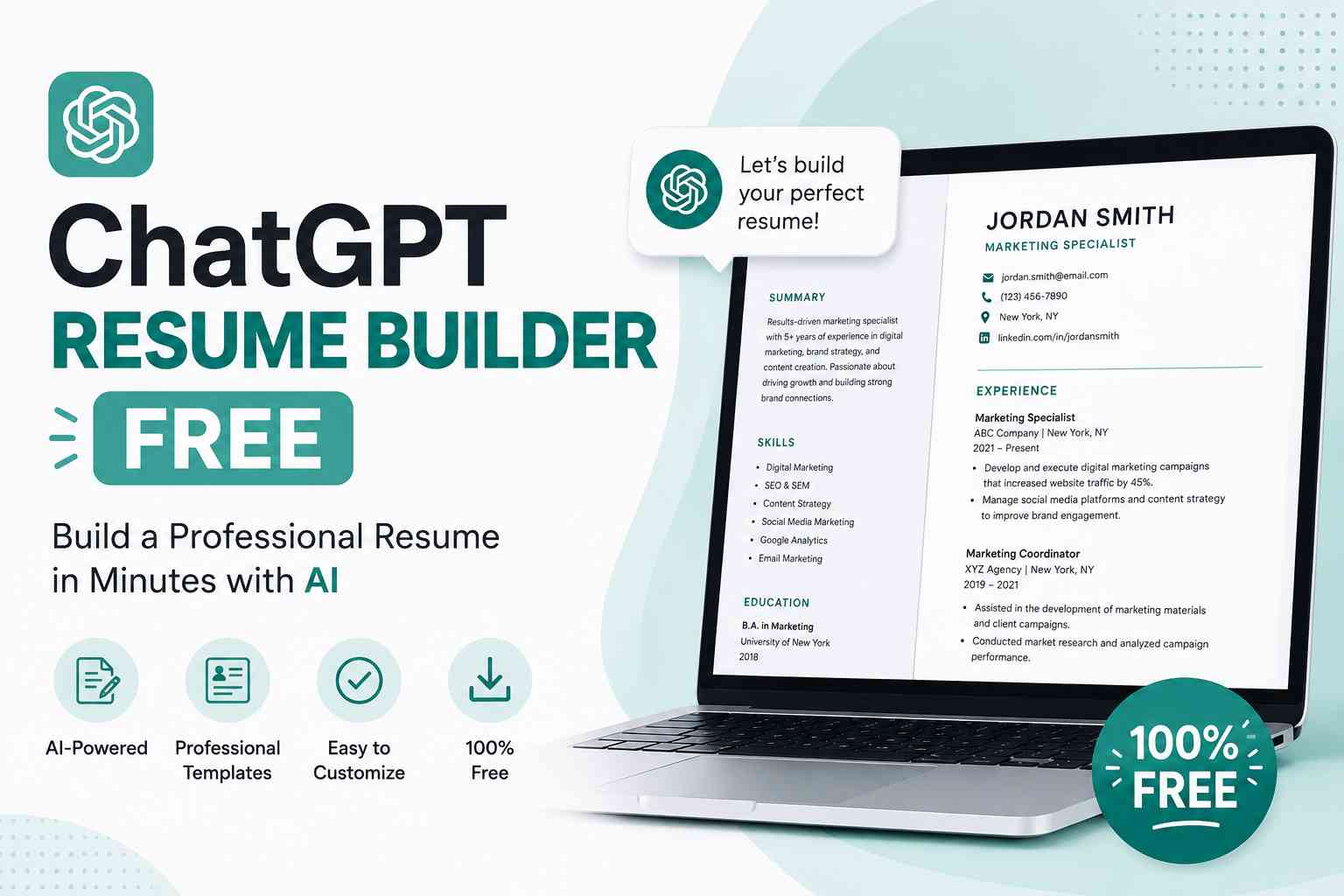

Yes, you can use ChatGPT for your resume. ChatGPT can write a full resume, rewrite bullet points, tailor your resume to a job description, and optimise it for ATS keywords – for free. It cannot verify your facts, guarantee ATS approval, or replace your judgment, so every AI-generated line should be reviewed and personalised before you submit it.
A ChatGPT resume is a resume that has been created, improved, or customised using ChatGPT – OpenAI’s AI assistant. Whether you’re starting from a blank page or upgrading an existing CV, ChatGPT works as a personal resume-writing assistant that’s available 24/7, largely free, and gets better every few months as OpenAI ships new models.
In 2026, the job market is more competitive than ever. A single posting can attract hundreds of applicants, and most companies rely on Applicant Tracking Systems (ATS) that scan resumes for role-specific keywords before a human ever opens the file. This is exactly where ChatGPT for resume writing gives you a real edge.
With a well-crafted chat GPT resume, you can:
- Write a professional resume in under 30 minutes
- Tailor your resume to each job description in seconds
- Add ATS-friendly keywords that match the posting
- Strengthen weak bullet points with action verbs and real metrics
- Fix grammar, tone, and formatting issues instantly
- Update an old resume with current, role-relevant language
Whether you’re a fresh graduate, an experienced professional, or someone switching careers, learning how to use ChatGPT for resume writing is one of the most practical AI skills you can build right now.
Can You Use ChatGPT for a Resume? (Direct Answer)
Can you use ChatGPT for resume writing? Yes. So can I use ChatGPT for my resume – also yes, and it’s not considered cheating. Resume writing tools, professional resume writers, and career coaches have always been acceptable job-search aids. ChatGPT is simply the free, instant, always-available version of that same support.
What changes in 2026 is how well it works. Employers don’t ask how you wrote your resume – they care whether your experience genuinely matches the role. The only ethical line is honesty: ChatGPT should sharpen how you describe your real experience, never invent experience you don’t have.
A short way to think about it:
| You ask ChatGPT to… | It’s completely fine | Be careful |
| Rewrite weak bullet points | ✅ | – |
| Suggest keywords from a job description | ✅ | – |
| Fix grammar and tone | ✅ | – |
| Suggest a metric you should track next time | ✅ | – |
| Invent a number you never measured | – | ❌ Never use it |
| Add a certification you don’t hold | – | ❌ Never use it |
Which ChatGPT Model Should You Use for Resume Writing in 2026?
Not all ChatGPT modes are equal for this task, and OpenAI has shipped several model updates since early 2026. Here’s the current picture:
| Access | Model | Best for resumes |
| Free tier | GPT-5.3 Instant (fallback: GPT-5.4 mini) | Quick bullet rewrites, short summaries, basic tailoring |
| Plus / Pro | GPT-5.5 Thinking / GPT-5.5 Pro | Full resume builds, multi-round tailoring, long-context work (whole resume + JD + LinkedIn export at once) |
| Plus / Pro | Canvas mode | Side-by-side editing – see and accept changes line by line instead of regenerating the whole resume |
| Mobile app | Advanced Voice / photo upload | Screenshot a job posting on your phone and have ChatGPT read it directly, or talk through your accomplishments out loud instead of typing |
EdTech Buzzz tip: For most job seekers, the free tier is genuinely enough to produce a strong first draft. Upgrade to a paid “Thinking” model mainly if you’re tailoring one long resume across many applications in a single sitting, or if you want it to ask you sharper follow-up questions before writing – the newer Thinking models tend to probe for missing details (like asking for the actual number behind “improved efficiency”) instead of just filling gaps with generic phrases.
Read Also: What Is Claude AI? A Complete Guide to Anthropic’s AI Models
Can ChatGPT Really Write a Good Resume?
Yes – and the results can genuinely surprise you. ChatGPT is trained on a huge volume of professional content: resume examples, job descriptions, HR guidelines, and career advice. That makes it strong at generating polished, structured resume content quickly.
But it has real limitations you should plan around:
| What ChatGPT Does Well | What ChatGPT Can’t Do |
| Writing and rewriting bullet points | Formatting your resume visually |
| Tailoring content to job descriptions | Knowing your real accomplishments |
| Adding relevant keywords | Verifying facts about you |
| Suggesting resume sections | Replacing your personal judgment |
| Fixing grammar and tone | Guaranteeing ATS approval |
| Reorganising an existing resume | Catching every hallucinated detail without your review |
The bottom line: ChatGPT is a genuinely powerful resume writing assistant, but you remain the editor-in-chief. You bring the real experience; ChatGPT brings structure, language, and speed.
Learn more: Black Box AI: What It Is, How It Works & Benefits
How to Use ChatGPT for Resume Writing (Step-by-Step)
Before the prompts, here’s the full process for using ChatGPT for resume writing:
Step 1: Gather your raw material. Collect your education history, work experience, key skills, certifications, and the job description you’re targeting. The more verified facts you feed it upfront, the less ChatGPT has to guess – and guessing is where hallucinated metrics creep in.
Step 2: Choose your resume type. Decide between a chronological resume (standard, ATS-friendly), a functional resume (skills-based, useful for career changers), or a combination resume. Tell ChatGPT which one you want.
Step 3: Give ChatGPT context. Share your background, target role, seniority level, and the job description. Treat it like briefing a professional resume writer, not asking a quick favor.
Step 4: Use specific prompts. Vague requests like “write me a resume” produce generic output. Specific prompts (see the 20+ below) produce usable drafts.
Step 5: Review, edit, and personalise. Always check what ChatGPT produces. Add the real numbers, achievements, and details only you know – and remove anything you can’t defend in an interview.
Step 6: Format it properly. ChatGPT outputs plain text, not a formatted document. Paste the content into Google Docs, Microsoft Word, Canva, or Novoresume and apply clean, ATS-safe formatting.
More info: Top 10 Best Free AI Tools for Students
How to Create a Resume With ChatGPT From Scratch
If you’re starting with zero – no existing resume, just your experience and a target role – here’s exactly how to build a resume using ChatGPT from the ground up.
Step 1: Start with a detailed personal overview prompt
Give ChatGPT enough information about yourself. Don’t be vague.
Example Prompt:
“I need you to write a professional one-page resume for me. Here is my information: Name: [Your Name]. Location: [City, Country]. Education: B.Tech in Computer Science from [University Name], 2022, CGPA 8.5. Work Experience: 2 years as a Software Developer at [Company Name]. I built REST APIs using Python and Django, reduced page load time by 40%, and led a team of 3 junior developers. Skills: Python, Django, React, MySQL, Git, Agile. Target Job: Senior Software Developer at a mid-size tech startup. Please write a clean, ATS-friendly resume with a strong summary, an experience section with bullet points using action verbs, a skills section, and an education section.”
Step 2: Refine with follow-up prompts
After the first draft, refine with targeted follow-ups:
- “Make the resume summary more impactful by focusing on measurable results.”
- “Rewrite the experience bullet points to start with stronger action verbs.”
- “Add relevant keywords for a Senior Developer role in a startup environment.”
Step 3: Add a job-specific twist
Once you have a base resume, tailor it further. Paste the actual job description and ask:
“Here is the job description for the role I’m applying to: [paste JD]. Can you adjust my resume to better align with this specific role and include keywords from the job posting?”
How to Update Your Resume Using ChatGPT (Refresh an Old Resume)
A lot of people don’t need a resume from scratch – they need to update an old resume using ChatGPT. Here’s the workflow if that’s you:
Step 1 – Paste your current resume and ask for a review. “Here is my current resume: [paste resume]. Review it for outdated language, weak verbs, missing metrics, and formatting inconsistencies. List the issues before rewriting anything.”
Step 2 – Add what’s missing. “Here’s what I’ve done since this resume was last updated: [new role / promotion / projects / certifications]. Integrate this into the existing structure without duplicating sections.”
Step 3 – Modernise the language. “Replace any outdated buzzwords or overused phrases (like ‘results-driven’ or ‘team player’) with specific, concrete language based on what I’ve actually done.”
Step 4 – Re-run it against a current job description. “Here’s a job I’m applying to now: [paste JD]. Does my updated resume still match? What should I adjust?”
This four-step loop is the fastest way to take a resume that’s two or three years stale and make it current again – without starting over.
How to Use ChatGPT to Tailor Your Resume to a Job Description
One of the most powerful ways to use ChatGPT for resumes is tailoring. A tailored resume is far more likely to pass ATS filters and catch a recruiter’s eye than a generic one.
Here’s the exact workflow:
Step 1: Paste your current resume
“Here is my current resume: [paste resume text]. Please analyse it.”
Step 2: Paste the target job description
“Here is the job description I’m applying to: [paste JD]. Based on both, can you identify gaps and suggest specific changes to make my resume a stronger match?”
Step 3: Ask for keyword integration
“What keywords from this job description should I add to my resume, and where exactly should I place them?”
Step 4: Request a tailored achievement section
“Based on the job description, can you suggest 4–5 achievement bullet points for my ‘Work Experience’ section that align with what the employer is looking for?”
This process typically takes 10–15 minutes and meaningfully increases your chances of getting past the ATS and impressing a human recruiter.
ChatGPT Resume vs Curriculum Vitae (CV): What’s the Difference?
If you searched “ChatGPT curriculum vitae,” here’s the distinction that matters before you prompt:
- Resume: 1–2 pages, achievement-focused, standard for most private-sector jobs in the US, Canada, and India.
- CV (Curriculum Vitae): Longer, comprehensive document covering full academic and professional history – publications, research, conferences, grants. Standard for academia, research roles, medicine, and most jobs in the UK, Europe, and Australia (where “CV” is simply the local word for “resume”).
Prompt for an academic/research CV:
“Write a curriculum vitae, not a resume, for a [PhD candidate / postdoctoral researcher / academic] in [field]. Include sections for Education, Research Experience, Publications, Conference Presentations, Grants & Fellowships, Teaching Experience, and Skills. Here is my background: [details].”
Prompt for a UK/EU-style CV (functionally a resume):
“Write a two-page CV for a [Job Title] role in the UK. Use British English spelling and formatting conventions. Here is my background: [details].”
20+ Best ChatGPT Resume Prompts (With Examples)
This is the core of this guide – ChatGPT resume prompts that actually work. Save these and reuse them every time you apply.
Prompts to Write a Resume from Scratch
Prompt 1 – Full Resume Generation: “Write a complete, professional, ATS-friendly one-page resume for a [Job Title] with [X] years of experience. Include: a 2-sentence professional summary, work experience section (3–4 bullet points per role), skills section, and education section. Here’s my background: [provide details].”
Prompt 2 – Fresh Graduate: “I’m a recent graduate with a [Degree] from [University]. I have no full-time work experience but completed internships at [Company] and led a capstone project on [topic]. Write a one-page entry-level resume for a [role] position that highlights my academic achievements, internship experience, and key skills.”
Prompt 3 – Career Changer: “I’m transitioning from [Current Career] to [Target Career]. My transferable skills include [list skills]. Write a skills-focused (functional) resume that downplays my unrelated experience and emphasises how my background applies to [Target Job].”
Prompts to Improve Your Existing Resume
Prompt 4 – Strengthen Resume Summary: “Here is my current resume summary: [paste summary]. Rewrite it to be more impactful, specific, and tailored for a [Job Title] role. Focus on [Skill 1] and [Skill 2].”
Prompt 5 – Better Bullet Points: “Rewrite these work experience bullet points using strong action verbs and quantifiable results where possible: [paste bullet points].”
Prompt 6 – Add Metrics: “These bullet points lack specific numbers. Do not invent any metric – if a number isn’t provided, insert [X] as a placeholder and tell me exactly what data I need to fill in: [paste bullet points].”
Prompt 7 – Fix Weak Language: “Remove all passive language and weak phrases like ‘responsible for’ or ‘helped with’ from my resume. Replace them with strong, active alternatives: [paste resume section].”
Prompts for ATS Optimisation
Prompt 8 – Keyword Extraction: “Here is a job description: [paste JD]. Extract the top 15 keywords and phrases I should include in my resume to pass the ATS filter.”
Prompt 9 – ATS Match Check: “Compare my resume [paste resume] with this job description [paste JD] and give me an estimated ATS match score. List what’s missing and what I should add.”
Prompt 10 – Skills Section Optimisation: “Based on this job description [paste JD], rewrite my skills section to include the most relevant technical and soft skills that match what the employer wants.”
Prompts for Specific Resume Sections
Prompt 11 – Professional Summary: “Write 3 different versions of a professional summary for a [Job Title] with [X] years of experience in [Industry]. Each should be 2–3 sentences and highlight different strengths.”
Prompt 12 – Work Experience: “Write 4 strong bullet points for my role as a [Job Title] at [Company]. My main responsibilities were [list responsibilities] and my key achievement was [achievement].”
Prompt 13 – Skills Section: “Create a well-organised skills section for a [Job Title] resume. Separate it into Technical Skills, Soft Skills, and Tools/Platforms.”
Prompt 14 – Education Section: “How should I format and present my education section if I graduated in [Year] from [University] with a [Degree] and relevant coursework in [subjects]? Should I include my GPA?”
Prompt 15 – Certifications: “I have the following certifications: [list certifications]. How should I present these on my resume, and which are most relevant for a [Job Title] role?”
Advanced ChatGPT Resume Prompts
Prompt 16 – Employment Gap: “I have a 2-year employment gap in my resume from [Year] to [Year] due to [brief reason]. How should I address this, and can you help me reframe my resume to minimise the impact?”
Prompt 17 – Multiple Roles at One Company: “I was promoted twice at [Company]. How should I format this on my resume to clearly show career progression? Here are my three roles and responsibilities: [details].”
Prompt 18 – Overqualified Candidate: “I’m applying for a role that’s technically below my experience level. How can I tailor my resume to not appear overqualified while still being competitive?”
Prompt 19 – Remote Job Application: “I’m applying for a fully remote position. What specific keywords, skills, and phrases should I add to my resume to signal that I’m an ideal remote worker?”
Prompt 20 – LinkedIn vs Resume Alignment: “Here is my resume [paste resume]. Can you suggest how I should align my LinkedIn profile summary and headline with this resume for consistency?”
Prompt 21 – Cover Letter from Resume: “Using my resume [paste resume] and this job description [paste JD], write a compelling 3-paragraph cover letter that’s professional, specific, and not generic.”
Prompt 22 – Layoff / Redundancy: “I was laid off from [Company] as part of a company-wide restructuring in [Month/Year]. Help me phrase this neutrally on my resume and prepare a one-line explanation I can use if asked in an interview.”
Prompt 23 – Executive / Leadership Resume: “Write an executive-level resume summary and 5 achievement bullets for a [C-level/VP/Director] role in [Industry], emphasising strategic impact, P&L ownership, and team scale, not day-to-day tasks.”
How to Use ChatGPT for Each Resume Section
A quick reference for using ChatGPT for resume sections individually:
Professional Summary
Ask for 2–3 versions and pick the one closest to your target role. Always include years of experience, top skill, and a value statement. What to say: “Write a 2-sentence professional summary for a [Job Title] with [X] years in [Industry] who excels at [Key Skill].”
Work Experience
This is where ChatGPT shines. Feed it your raw duties and ask it to turn them into achievement-oriented bullets with action verbs. What to say: “Transform these duties into 4 strong, ATS-friendly bullet points that start with action verbs: [paste duties].”
Skills Section
Ask it to organise your skills into categories and suggest ones you may have missed. What to say: “Here are my skills: [list]. Organise them into a resume skills section and suggest 5 more relevant skills for a [role].”
Education
ChatGPT can help decide what to include – relevant coursework, honors, GPA, projects. What to say: “Should I include my GPA of [X] on my resume? I graduated [X] years ago with a [degree] in [field].”
Projects (Students and Freshers)
Projects can substitute for work experience. ChatGPT can write impressive project descriptions. What to say: “Write a resume description for a final year project I built: [describe project]. Make it sound professional and highlight the tech stack and impact.”
Certifications & Courses
What to say: “I completed [Course Name] on [Platform]. How should I list this on my resume for a [Job Title] application?”
ChatGPT Resume Tips: Dos and Don’ts
DO This
- Give ChatGPT as much context as possible. Industry, years of experience, specific accomplishments, target role – treat it like briefing a professional resume writer.
- Always include the job description. Pasting the actual JD is the single most effective technique for a tailored, ATS-optimised resume.
- Use iterative prompting. Don’t expect perfection on the first try. Ask for Version 1, give feedback, ask for Version 2, keep refining.
- Verify and personalise everything. ChatGPT can invent details or plausible-looking metrics. Read every line and edit it to reflect your real background.
- Combine ChatGPT with a professional template. ChatGPT generates text, not formatted documents. Apply a clean visual design in Google Docs, Canva, Novoresume, or Word.
- Tell it explicitly not to invent numbers. Add “Do not invent any metric – use [X] as a placeholder if I haven’t given you a number” to your prompts. This single instruction cuts hallucinated statistics dramatically.
DON’T Do This
- Don’t submit a ChatGPT resume without reviewing it. It can add skills you don’t have or claims you can’t back up in an interview.
- Don’t use one generic resume for every job. Still the #1 resume mistake in 2026. Always tailor, even if it’s just the summary and a few bullets.
- Don’t ignore the format. ChatGPT produces plain text. Recruiters and ATS parsers both care about clean formatting.
- Don’t include AI filler phrases. “Results-driven professional” and “dynamic team player” are overused. Ask ChatGPT to replace them with concrete language.
- Don’t over-rely on ChatGPT. It’s a tool, not a replacement for self-reflection. Use it to articulate your story, not to fabricate one.
Common Mistakes People Make With ChatGPT Resumes
Mistake 1: Giving vague prompts. “Write me a resume” is not useful. “Write me a resume for a Digital Marketing Manager with 5 years of experience, specialising in SEO and Google Ads, applying to an e-commerce company” is.
Mistake 2: Not checking for hallucinations. ChatGPT may confidently suggest skills or certifications you don’t have. Audit every line.
Mistake 3: Skipping keyword research. Even with ChatGPT, manually scanning the job description for hard-to-spot keywords before prompting helps.
Mistake 4: Forgetting to add real metrics. ChatGPT may suggest placeholder metrics like “increased revenue by X%.” Fill in real numbers, or a real estimate – never leave a made-up one in.
Mistake 5: Using the same resume everywhere. Applying to 50 jobs with one AI-written resume kills your match rate. Take 5–10 minutes to tailor per application.
Mistake 6 (new for 2026): Trusting AI-written resumes to auto-pass ATS. ATS platforms don’t “auto-reject” the way people imagine – recruiters actively search these systems using specific keywords. A resume stuffed with keywords but lacking real substance can still perform poorly, both with ATS search and with a human reader.
Is a ChatGPT Resume Safe to Submit?
Is it ethical? Yes. Using AI to write or improve your resume is no different from using a professional resume-writing service. It’s a productivity tool, not cheating.
Will employers know? Not necessarily, and generally they don’t care how you wrote your resume – they care whether your experience matches the role. If something you wrote contradicts what you say in an interview, that’s a dishonesty issue, not an AI issue.
Will it pass ATS? A well-crafted ChatGPT resume can perform better with ATS systems because you can specifically optimise it for keywords – but only if you use targeted prompts (like the ones in this guide) and paste the actual job description.
Privacy tip: Avoid pasting sensitive personal data – government ID numbers, bank details, confidential employer information – into ChatGPT, especially on a shared or work device.
The bottom line: a ChatGPT resume is safe to submit as long as it accurately represents you and your real experience.
ChatGPT vs Other AI Tools for Resume Writing in 2026
ChatGPT isn’t the only AI option anymore. A quick honest comparison if you’re choosing between tools:
| Tool | Strength for resumes | Watch out for |
| ChatGPT (GPT-5.5) | Fast, mobile-friendly (photo JD upload, voice brainstorming), huge GPT Store of resume add-ons, Canvas for line-by-line edits | Slightly more prone to inventing plausible-sounding metrics if you don’t explicitly tell it not to |
| Claude | More conservative with unverified metrics, strong on long documents (full resume + JD + LinkedIn export in one context) | No voice mode; smaller free-tier message limits on heavy iteration |
| Dedicated AI resume builders | Handle formatting, ATS scoring, and export automatically – no prompt engineering needed | Often wrap a general model like GPT or Claude underneath; quality varies by provider |
Practical takeaway: If your workflow is dominated by careful writing and fact-checking, general chat models like ChatGPT or Claude work well as long as you review every claim. If you want automatic formatting and ATS scoring without writing prompts yourself, a dedicated resume builder on top of one of these models saves time.
Free Tools to Use Alongside ChatGPT for Your Resume
ChatGPT for writing + the right supporting tools = a complete resume workflow.
| Tool | Purpose | Free? |
| Google Docs | Resume formatting and templates | ✅ Yes |
| Canva | Visual, designed resume templates | ✅ Free tier |
| Novoresume | ATS-friendly templates | ✅ Free tier |
| Jobscan | ATS keyword match scoring | ✅ Limited free |
| Grammarly | Grammar and tone check | ✅ Free tier |
| Align profile with your resume | ✅ Yes | |
| Resume.io | Quick resume builder | ✅ Free tier |
| ChatGPT (GPT-5.3 Instant, free tier) | Resume writing and editing | ✅ Yes |
| ChatGPT Plus/Pro (GPT-5.5 Thinking) | Advanced prompting, Canvas editing, longer context | ❌ Paid |
EdTech Buzzz Tip: For most job seekers, the free tier of ChatGPT is more than enough for resume writing. Start there before investing in a paid plan.
Final Thoughts
The job market in 2026 demands that you work smarter, not harder. A ChatGPT resume is not a shortcut – it’s a strategy. When you combine your real experience and authentic voice with ChatGPT’s ability to write clearly, optimise for ATS, and adapt to job descriptions instantly, you get a resume that genuinely stands out.
Quick recap of this guide:
- ChatGPT can write full resumes, sections, bullet points, summaries, and cover letters – largely for free
- Use specific, context-rich prompts for the best results, and tell it not to invent numbers
- Always tailor your resume to each job description using ChatGPT
- Review everything – never submit without checking for accuracy
- Combine ChatGPT with formatting tools like Google Docs or Canva
- Use the 20+ prompts in this guide to cover every resume scenario, from a first draft to an executive rewrite
Whether you’re a fresh graduate writing your first resume, a professional eyeing a career change, or someone updating a resume that’s been sitting untouched for years, learning how to use ChatGPT for resume writing is one of the highest-ROI skills you can develop today.
Start with one prompt from this guide. Paste it into ChatGPT right now – you might be surprised how quickly your resume comes together.
Frequently Asked Questions (FAQ)
Can you use ChatGPT for a resume?
Yes. ChatGPT can write, edit, and tailor resumes at no cost on its free tier. Access it at chat.openai.com or the ChatGPT app without a subscription.
Can I use ChatGPT for my resume, or will it look fake?
Yes, and it won’t look “fake” if you personalise it. Generic ChatGPT resumes look fake when people copy the output word-for-word. Adding your real numbers, specific tools, and actual accomplishments removes the generic tone.
Can ChatGPT write resumes / can ChatGPT create a resume?
Yes. ChatGPT can generate a complete resume from your details, or build individual sections – summary, work experience, skills, education – one at a time.
How do I use ChatGPT to write a resume with no experience?
Focus on your education, internships, projects, volunteer work, and transferable skills. Try: “Write an entry-level resume for a [role] for someone who is a fresh graduate with a degree in [field], a 6-month internship at [company], and skills in [list]. Emphasise projects and academic achievements.”
How do I use ChatGPT to update my resume?
Paste your current resume, tell ChatGPT what’s changed since it was last updated (new role, skills, certifications), and ask it to integrate the new information while modernising outdated phrasing. See the “How to Update Your Resume Using ChatGPT” section above for the full workflow.
What are the best ChatGPT resume prompts?
The best prompts are specific: job title, years of experience, key skills, and the target role. The 20+ prompts in this guide are built for exactly that level of detail.
Can I use ChatGPT to tailor my resume to different jobs?
Yes – this is one of ChatGPT’s strongest resume use cases. Paste your resume plus the job description and ask it to identify gaps, add keywords, and suggest adjustments.
Will a ChatGPT resume pass the ATS?
Usually yes, if you include the job description in your prompt and specifically ask for ATS keyword optimisation. ChatGPT can pull relevant keywords directly from the posting and weave them naturally into your resume.
Is it cheating to use ChatGPT for my resume?
No. Resume-writing tools, professional resume writers, and career coaches have always been acceptable. ChatGPT is the modern, free, instant version of that same support.
How long does it take to write a resume with ChatGPT?
With your information ready and the right prompts, you can produce a solid first draft in 15–30 minutes. Tailoring it to a specific job takes another 5–10 minutes.
What should I not put in a ChatGPT resume prompt?
Avoid sensitive personal data – government ID numbers, bank information, or confidential company details – in your prompts.
Can ChatGPT write a curriculum vitae (CV), not just a resume?
Yes. Tell ChatGPT explicitly that you want a CV rather than a resume, and specify whether you need an academic CV (with publications and research) or a UK/EU-style CV; a CV maker Ireland can also help you organise your experience using the appropriate format and British spelling conventions.
How do I ask ChatGPT for resume help if I’m not sure what I need?
Start broad: “I need help with my resume for a [role/industry]. Ask me questions about my background before writing anything.” Newer ChatGPT models will often ask clarifying follow-up questions rather than guessing – answer those first, then request the draft.